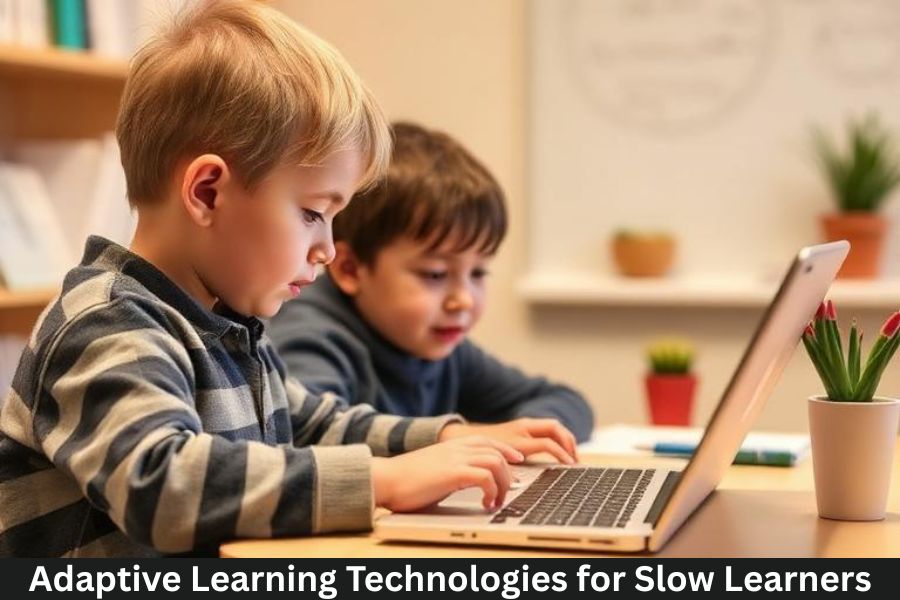
In today’s digital age, interactive learning is no longer optional — it’s essential. Educators and students are turning to educational technology (EdTech) tools to make learning more engaging, personalized, and effective. From virtual classrooms to gamified lessons, the right tools can transform the learning experience.
In this SEO-optimized article, we’ll explore the best EdTech tools for interactive learning, how they help students and teachers, and key features to consider when choosing the right platforms.
What Is Interactive Learning?
Interactive learning refers to educational methods that actively involve students in the learning process. Instead of passively listening to lectures, students participate through:
- Quizzes and polls
- Collaborative activities
- Simulations and games
- Multimedia lessons
- Real-time feedback
Interactive learning increases engagement, comprehension, and retention — especially when supported by advanced digital tools.
1. Khan Academy
Best for: K–12 and foundational concepts
Khan Academy is one of the most well-known free EdTech platforms designed to support learners of all ages. Its strengths include:
- Thousands of video lessons and exercises
- Personalized practice recommendations
- Instant feedback and progress tracking
- Support for math, science, humanities, and test prep
Its learner-focused design helps students practice at their own pace while reinforcing core concepts.
2. Quizlet
Best for: Memorization and practice
Quizlet uses interactive study tools like flashcards, games, and practice tests. Key features include:
- Custom flashcard creation
- Learn mode with spaced repetition
- Gamified review games
- Collaborative study sets
Quizlet makes repetitive review engaging — especially for language learning, vocabulary building, and exam preparation.
3. Duolingo
Best for: Language learning
Duolingo makes learning languages fun with bite-sized, gamified lessons.
Highlights include:
- Gamified progression and rewards
- Listening, speaking, reading, and writing practice
- Short daily challenges
- Adaptive difficulty levels
This tool motivates learners through interactivity and consistent feedback.
4. Nearpod
Best for: Interactive lessons in classrooms
Nearpod allows teachers to create engaging, multimedia lessons that students can interact with in real time.
Advantages include:
- Live and self-paced modes
- Integrated quizzes, polls, and VR field trips
- Multimedia slides (video, images, web content)
- Real-time student feedback
Nearpod bridges the gap between teaching and student engagement, especially in blended or hybrid learning environments.
5. Edpuzzle
Best for: Interactive video lessons
Edpuzzle turns ordinary videos into interactive lessons by allowing teachers to:
- Embed questions in videos
- Track student responses
- Monitor progress and engagement
- Customize assignments
Video-based learning becomes more meaningful with built-in checkpoints and assessments.
6. Padlet
Best for: Collaboration and brainstorming
Padlet is a flexible digital canvas where students and teachers can post:
- Notes
- Images
- Links
- Videos
- Discussions
It’s ideal for group projects, interactive discussions, and visual organization of ideas.
7. Seesaw
Best for: Elementary student portfolios
Seesaw focuses on younger learners, giving students a way to:
- Create digital portfolios
- Share projects with teachers and parents
- Receive personalized feedback
- Use drawing, audio, and video tools
Seesaw encourages student expression while enhancing teacher-student communication.
8. Google for Education
Best for: Comprehensive classroom collaboration
Google for Education includes tools like:
- Google Classroom
- Google Docs
- Google Slides
- Google Meet
These tools enable seamless collaboration, shared projects, and communication in both physical and virtual classrooms.
9. Microsoft Teams for Education
Best for: Hybrid and remote classrooms
Microsoft Teams for Education brings together:
- Chat and collaboration
- Video meetings
- Assignments and grading
- App integrations (OneNote, Flip, etc.)
It supports structured classroom interactions and integrates with other Microsoft tools for productivity.
10. Miro
Best for: Brainstorming and visual learning
Miro offers an interactive digital whiteboard where students can:
- Brainstorm ideas
- Diagram concepts visually
- Collaborate in real time
- Use templates for planning and design
Miro enhances creativity and group engagement across subjects.
11. Classkick
Best for: Real-time teacher feedback
Classkick lets teachers assign digital work that students complete on their devices while receiving instant feedback.
Key features include:
- Teacher annotations in real time
- Student collaboration
- Personalized support
- Easy teacher monitoring
Real-time guidance helps students improve as they work.
How These Tools Support Interactive Learning
EdTech tools enhance learning by enabling:
💡 Personalized Learning
Adaptive software adjusts content based on progress and proficiency.
🤝 Collaboration and Peer Learning
Students can work together virtually or in the classroom.
📊 Immediate Feedback and Analytics
Teachers and learners get actionable feedback instantly.
🎮 Engagement Through Gamification
Elements like badges, points, and levels make learning more enjoyable.
📱 Accessible Anytime, Anywhere
Cloud-based tools support mobile and remote learning.
How to Choose the Right EdTech Tool
Consider the following when selecting tools:
✔ Learning objectives — What outcomes do you want?
✔ Age group and subject — Not all tools fit every level or discipline.
✔ Ease of use — Too complex tools reduce engagement.
✔ Integration — Compatibility with existing systems (LMS, email)
✔ Data privacy and safety — Ensure student data protection
The best tools enhance learning without creating unnecessary barriers.
FAQs: Best EdTech Tools for Interactive Learning
1. Are EdTech tools replacing traditional classrooms?
No. They enhance the learning experience and support blended approaches, but human teachers remain central to education.
2. Do students need special devices for these tools?
Most platforms work on laptops, tablets, and even smartphones — though some advanced tools perform best with larger screens.
3. Are these tools suitable for university learners?
Yes. Tools like Google for Education, Microsoft Teams for Education, and Miro are widely used in higher education for group projects, presentations, and remote learning.
4. Can EdTech tools improve academic performance?
Yes. By increasing engagement, providing immediate feedback, and personalizing content, these tools often lead to better learning outcomes.
5. Are free EdTech tools as effective as paid ones?
Many free tools offer excellent functionality. Paid versions typically include advanced features, analytics, or administrative control.